 Cenáculo
Events with QR at the door.
From the sign-up link to the retreat report: lists and batches, a waiting list that moves on its own and a phone camera reading one ticket after another.


The whole event on one screen
Cover, sessions, venues, attendees, volunteers and team. The cycle runs from draft to open sign-up, closed and held, and the screen says what comes next.
Places without the mess
Lists
Each with places, a deadline and who may join: organisers, by link, members or a chosen group.
Batches
Release by hand, on a date or automatically when the previous one sells out.
Waiting list
When someone cancels, the queue moves on its own, in order of arrival.
Sessions
Several days and times, and people choose which they attend.
Questions
Up to 10, text or choice, required or not.
The last place
Never goes to two people, and nobody enters the same session twice.
Check-in at the door
The camera stays on, reading one ticket after another without stalling: green is in, yellow already in, red refused. No QR? Search by name. Several people, at several doors, at once, with a near real-time scoreboard.


Signing up
Public link
Opens with no sign-in, with a QR of the link for posters, and never shows who is already in.
QR ticket
Everyone gets theirs at the end, and organisers can also send it by WhatsApp.
Whole families
Organisers can sign up several people at once, and the link takes up to 6.
In the members app
Sign-up, full-screen ticket and "My tickets".
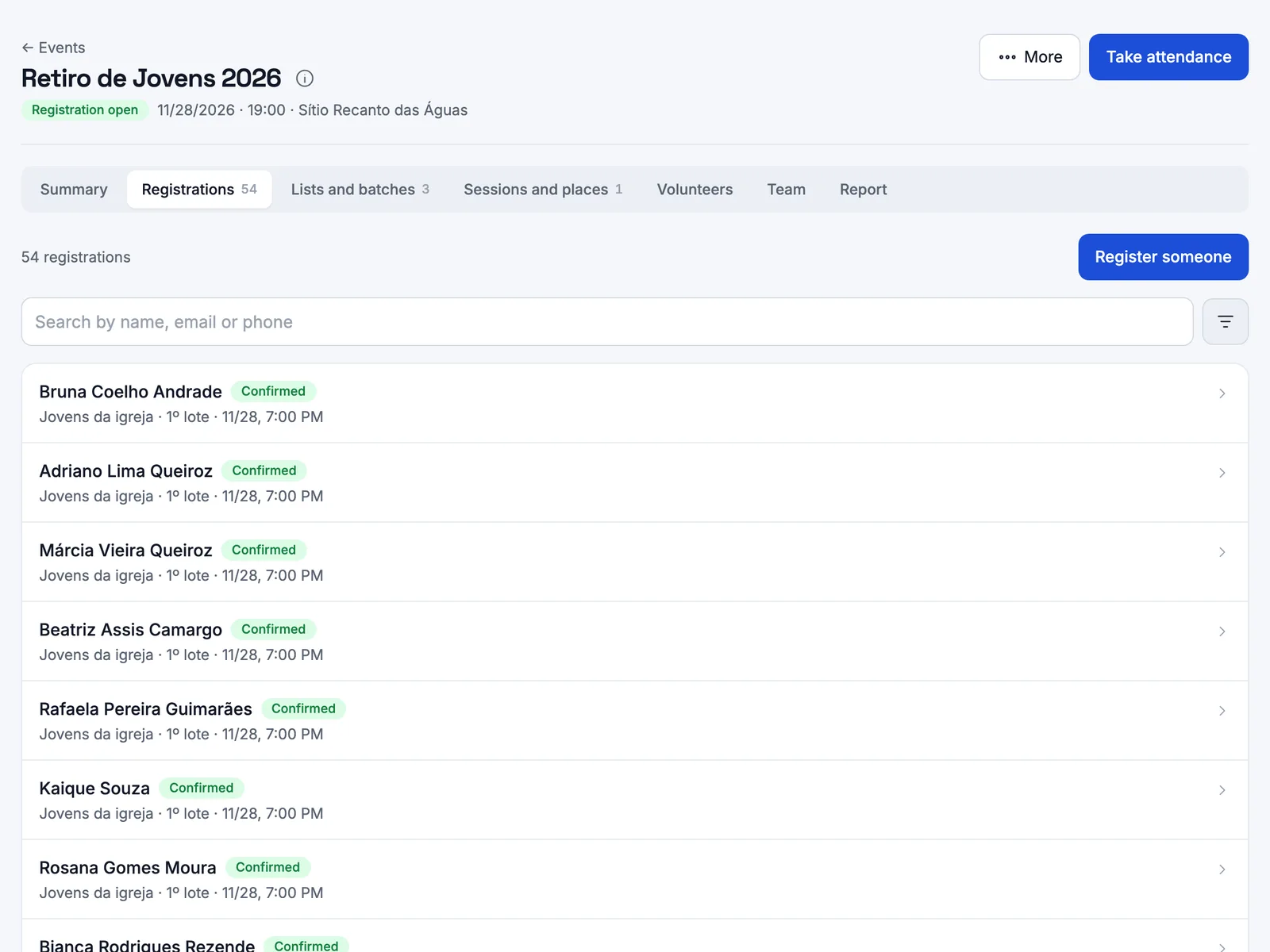
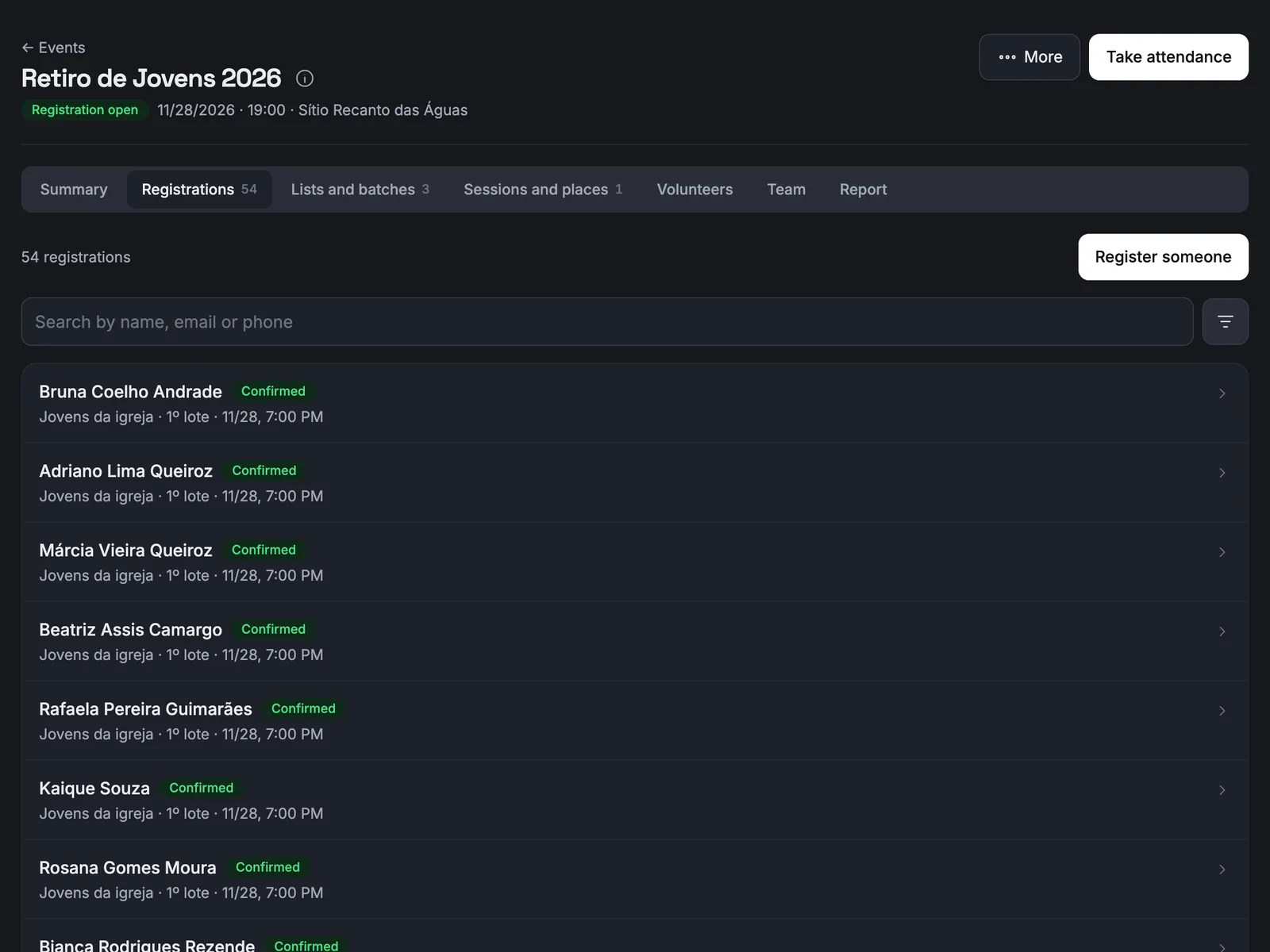
Who is coming
Every sign-up has a code and a history. Correct details, move list or session, cancel, promote and reactivate. Attendees and check-ins export to a spreadsheet.
And after the event
Report
Occupancy and turnout by list, batch, session, source and door, plus entries per hour.
Volunteers
One person at a time or a whole ministry, with role, session and arrival time.
Reminders
From 7 days to 1 hour before, for attendees, volunteers or both.
Who does what
Project operator
Creates and manages every event.
Event manager
Runs that one event in full.
Check-in staff
Only check people in, without seeing anyone's contact details. It could be every cell leader, for example.
Member
Sees what is open to them, signs up with guests and cancels their own sign-up.
Visitor
Signs up by the public link, with no account.
Questions leaders ask
Do visitors need an account to sign up?
No. The public link opens with no sign-in, and at the end shows each person's QR ticket.
What if places run out?
The person joins the waiting list. When someone cancels, the queue moves on its own, in order of arrival.
Do we need a QR scanner?
No. Check-in uses the phone camera of whoever is at the door, and several people can record at the same time.


Shall we talk?
You talk to a salesperson on WhatsApp and get your questions answered: +55 17 99154-6181.